The Best Privacy Features In Apple's New iOS Update

Apple, like many tech companies, releases updates throughout the year. However, their biggest overhauls tend to come in September, with their latest iOS update - iOS 16 - dropping on September 12, 2022. If there is one thing Apple has done throughout the years, it’s keep on top of all the latest trends and create tech breakthroughs the world has never seen.
Plenty couldn’t wait to see what the company brought to life with their latest update, and it seems they didn’t disappoint when it comes to their privacy features. In fact, these might just be the best privacy features in Apple’s new iOS update that we can start utilizing straight away.
We can now lock notes away
Are you someone who loves to keep personal thoughts on your Notes app? Now you can make sure that no one can get into your thoughts with notes that can be locked away behind Touch ID or Face ID. This means any personal information, such as passwords, PINs, or Social Security Numbers, can be kept on your phone without the worry of someone getting their hands on your information. Simply turn the feature on in Settings and choose which security you want to use.
Photos are kept more secure than ever before
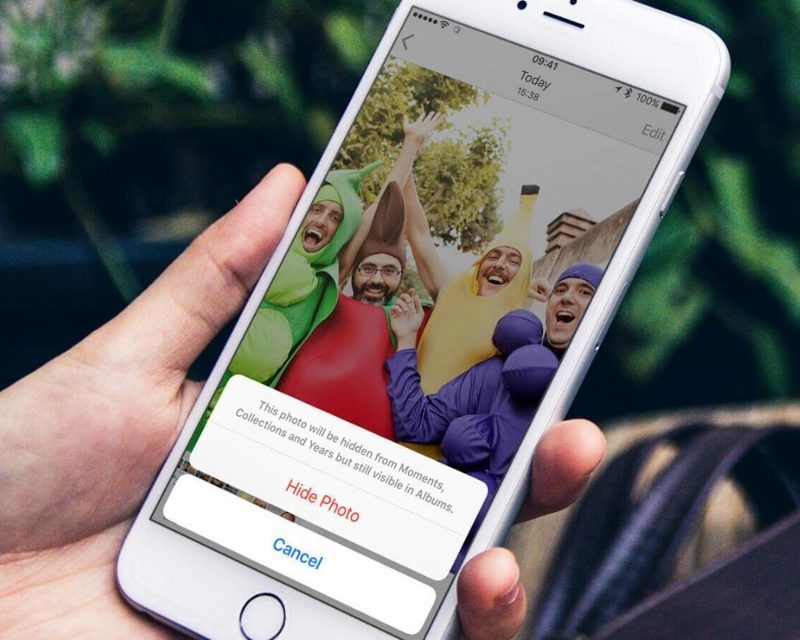
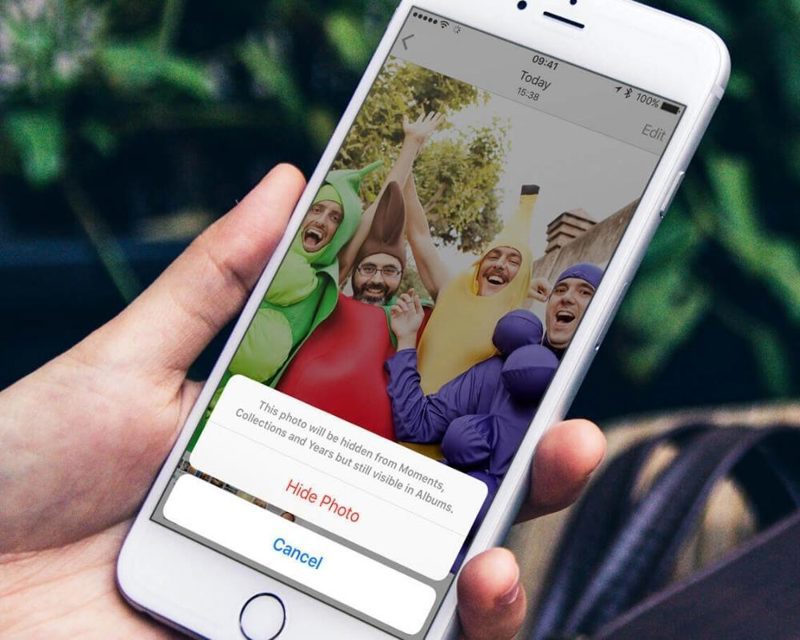
Let’s face it; plenty of us have photos we would rather keep hidden away from the rest of the world. While we’ve been able to hide photos on our phones for a while, Apple’s new iOS update makes them more secure than ever. This time, the Recently Deleted and Hidden albums will be kept behind a security wall that needs Touch ID or Face ID, depending on your phone. All you need to do is toggle the feature on in Settings.
Face ID now works in landscape orientation
If you wanted to unlock your iPhone before iOS 16, you needed to have your phone portrait to your face. Now, Apple’s new iOS update means we can use our phones at a 45-degree angle. You don’t need to do anything to install this feature - simply update your phone. Now, you can unlock your phone when you’re in the middle of a video, game, or anything else with your phone in landscape.
An emergency rest means we can revoke all our data access
Plenty of us need to share various pieces of data with apps and people while using our phone. However, that likely will change further down the line and mean we no longer want them to have access to this information. Thankfully, Apple is more aware than ever that privacy needs to be highly protected, so the new iOS update means we can open Settings, go into Privacy and Security, and tap Safety Check. Hitting Emergency Reset once here will revoke all shared data and allow you to start from scratch.
Lockdown Mode is the highest security measure
There’s a good chance that many of us will never need to use Lockdown Mode. It’s been designed for people like activists, journalists, and anyone else whose phone could be targeted by hackers. Lockdown Mode is the safest way to shut down our phones and protect them from anyone looking to do harm to our devices or individuals. If you need it, head into Settings, tap on Privacy and Security, and finally hit Lockdown Mode before following the on-screen instructions.
The best privacy features in Apple’s new iOS update should now give us more security when using our phones than ever before. While most of us should hopefully never have to worry about someone getting their hands on our data or devices, we should now feel more protected than ever.
You May Also Like
 Finance
What to Put in Your Personal Money Checklist
 Finance
The Essential Financial Fraud Warning Signs
 Finance
How Big Should an Emergency Fund Be for You?